Case studiesMZiQ IRM
Everything IR needs, in one place
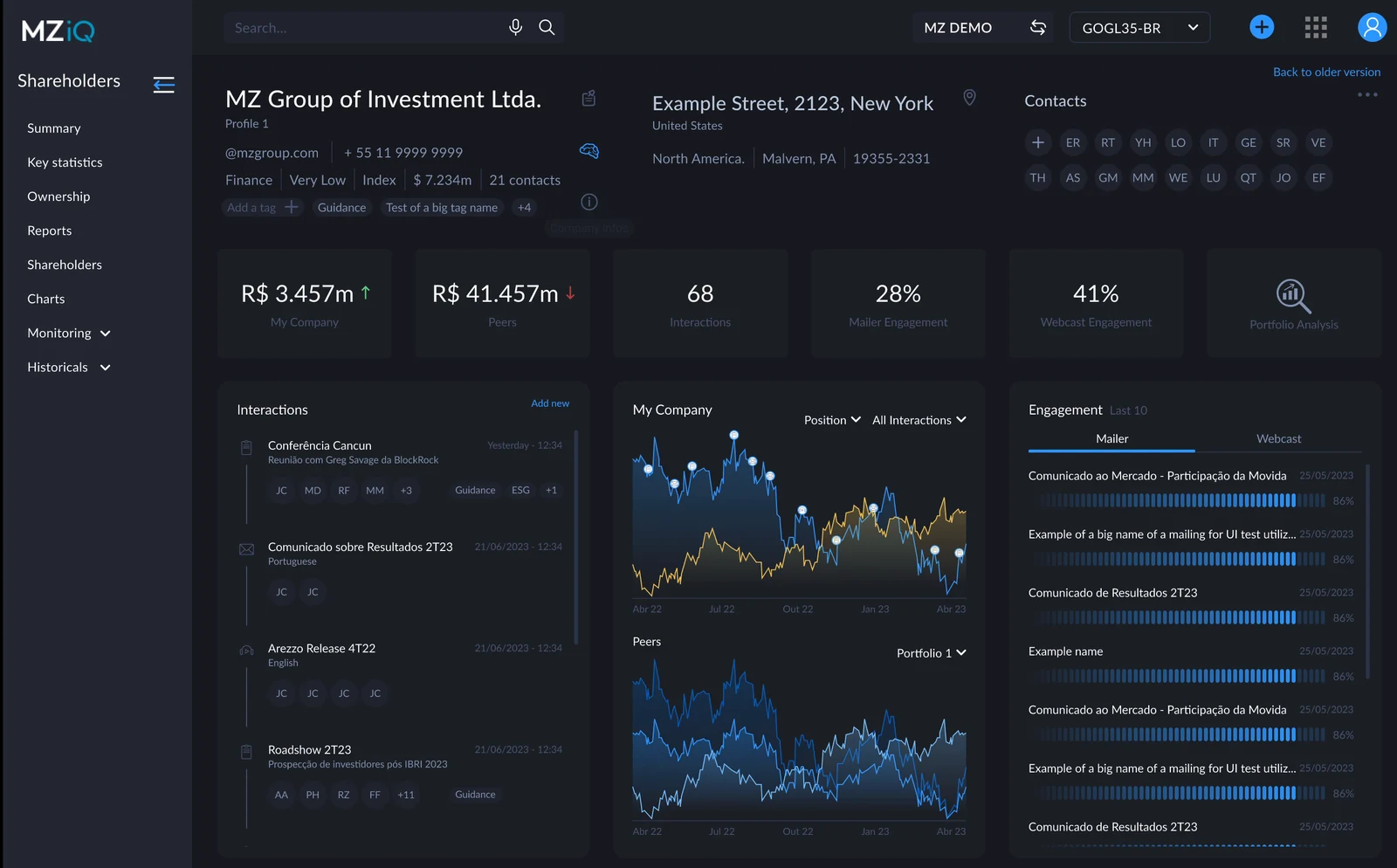
MZiQ is MZ's investor relations platform, used by publicly traded companies and investment funds. I redesigned how it shows investors and stakeholders across its IRM and Shareholders modules: one connected profile by contact, company, and shareholder group, so an IR analyst walks into a meeting knowing who is across the table.
- Scale
- 10K+ users on MZiQ
- The shift
- From separate contact and shareholder group pages to three connected layers
- Research
- 15 client interviews and 300+ recorded sessions
- Validation
- 8 users and 6 tasks in Maze, with 1 change before launch
MZiQ · Company profileDemo data
Validation
participants completed all six tasks in the usability test of the new Company layer.
on average to add a contact linked to a company, the core new task, with every participant going straight there.
before launch: the interactions filter went from two criteria to one, after more than half of participants struggled.
Context
Investor relations teams sit between a listed company and the market. Their workweek includes meetings with funds and analysts, earnings calls and webcasts, mailings, and roadshows, and in earnings season that cycle repeats several times in a few days. MZiQ covers that work in modules: the IRM for contacts and activities, plus mailing, webcasts, and the shareholder base.
An IR analyst’s day revolves around three stages:
Before the meeting
Who is this person, what have they received or read, and how much of our stock do they hold?
During the meeting
Previous roles, events attended, questions asked in webcasts, and the latest buy or sell moves.
After the meeting
Log the interaction, follow up on next steps, and watch for opened emails, replies, and position changes.
What each piece of information tells IR
Who holds the stock and how much. A position going up or down is a signal of who to call, and why.
Investors who own similar companies are natural prospects, and those who own both are comparing you.
One-on-ones, conferences, and roadshows. Preparing for the next one depends on the history of the last ones.
Every call, email, and meeting logged, so the relationship doesn't live in one person's memory.
Opens, attendance, and questions show who is paying attention between meetings.
An analyst, a portfolio manager, and a director carry different weight. Knowing who decides changes the conversation.
The problem
Before an important meeting, an analyst would open several tabs, cross-check spreadsheets by hand, and, even inside MZiQ, jump between separate modules for mailings, webcasts, and shareholder data. That costs time, and it means decisions get made on outdated or incomplete information.
In the IRM itself, there was a contact page and a shareholder group page. A contact could be placed inside a group, but the only link between the two was an activity, and the interface was dated.
What 15 client interviews and 300+ recorded sessions showed
relied on Excel as their primary stakeholder database.
used several platforms at once to prepare for a meeting.
couldn't see one consolidated history of interactions with an investor.
had no view of engagement at the institution level, only person by person.
of contact with investors happened by email.
took printed material about investors into meetings.
The findings pointed to three questions every analyst needs answered in one place: Who is the person I'm talking to? What is their company's history with us? What is their weight in the shareholder group they represent?
My role
I was the UX/UI designer on MZiQ, at MZ from October 2021 to May 2025. I worked on the profile from mid-2022 to September 2023, evolving it until it spanned contacts, companies, and shareholder groups across MZiQ's two modules, IRM and Shareholders.
- Defined what had to be built, and designed the information architecture of the three layers, from low- to high-fidelity prototypes.
- Planned and ran the research: client interviews and the analysis of recorded sessions.
- Ran the usability tests in Maze and turned the results into changes.
- Worked with 2 squads and 5 developers to complete the profile across contact, company, and shareholder group, balancing strategic views for IR with the volume of data on each panel, including external data, including investor holdings in the company and in peer companies.
- Tested each implementation in staging before release, in rounds of adjustments with the developers.
Three layers, one structure
Together with the contact list, these became what we called the profile. The key decision was a new entity in the IRM: Company. A company might be a shareholder group or not; IR teams could also use it simply to organize contacts. With it, contacts, companies, and shareholder groups became connected layers, built on similar screens, so the analyst always sees a clear ecosystem: who the investor is, which company they belong to, and whether that company is part of a shareholder group.
Every layer brings the same information, at its own level: activities, meetings, upcoming meetings, shareholding position, holdings in peer companies, and engagement with mailings and webcasts.
Who is the person I'm talking to?
- Role and previous roles
- Recent interactions, ready for meeting prep
- Their shareholding position
- Quick actions: email, task, link to an event
What is their company's history with us?
- All linked contacts, filterable by role, engagement, or event
- Its holdings in your company’s shares, kept up to date
- Engagement over time, as an institution
What is their weight in the group?
- A map of people, companies, and investment vehicles
- Meetings across the whole group, whoever attended
- A consolidated shareholding position across all legal entities in the group
Shared by all three: activities, meetings, upcoming meetings, shareholding position, holdings in peer companies, and engagement with mailings and webcasts.
Profile prototype, 1 of 4: overviewDemo data
Before
- A contact page and a group page
- Linked only through an activity
- Mailing, webcast, and shareholder data in other modules, or in Excel
After
- Contact, company, and shareholder group, connected
- The same structure on every layer
- Position, peers, meetings, and engagement in one view
Trade-off: to keep the information from contradicting itself across layers, two tabs left the contact details screen. That made reaching the company from a contact harder at first, as the test showed.
Testing the Company layer
In August 2023, I tested the new Company screens and flows in Maze with 8 frequent MZiQ users, in 6 tasks covering linking, editing, and managing company information.
All eight participants completed all six tasks. However, Task 2 highlighted the usability cost of removing the two tabs, and Task 5 exposed a problem with the new filter: most participants struggled to combine interaction status and type. The filter was simplified to status only before launch. Task 6 showed that a familiar filtering pattern could work well in a new context.
The contact list as the hub
The list was redesigned together with the profiles, as the way into them. At a glance it shows the investor's profile, the last interaction, assets under management (AUM), investment style, activities, and the position trend in your company and in peers; the compact density adds engagement with mailings and webcasts. IR teams organize their contact database around their workflow: filters for profile (buy side, sell side, individual, analyst), origin (IRM, Forms, Mailer, Webcast), institution, type, turnover, region, and role, saved as presets; the columns they choose; and alerts when a position, an engagement level, or the time since the last interaction changes.
MZiQ · IRM contact listDemo data
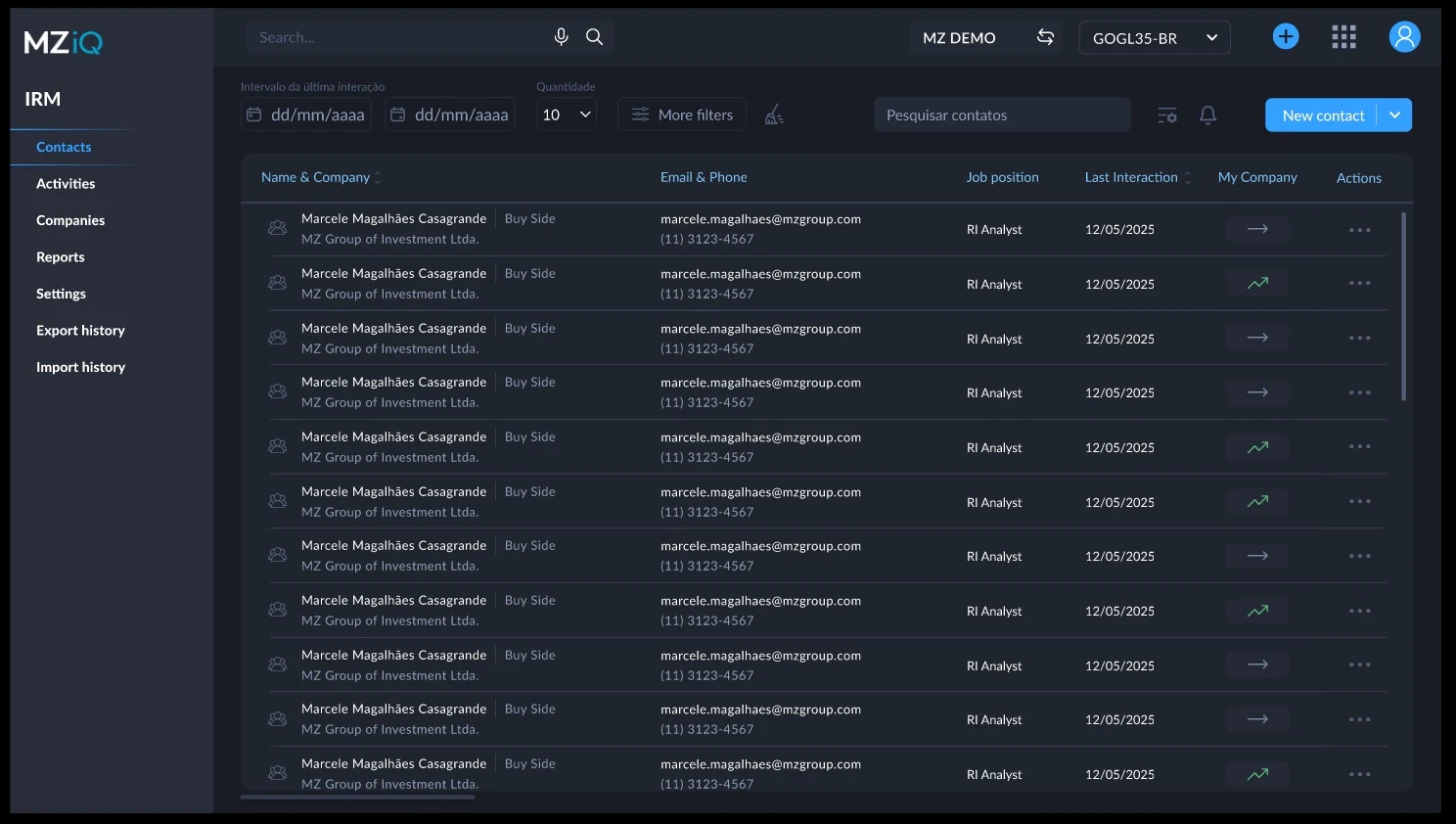
Filters and presets
Alerts on position, interactions, engagement, and peers
Choosing the columns
Compact density, with engagement
Where IR already worked: email and paper
The IRM inside Outlook
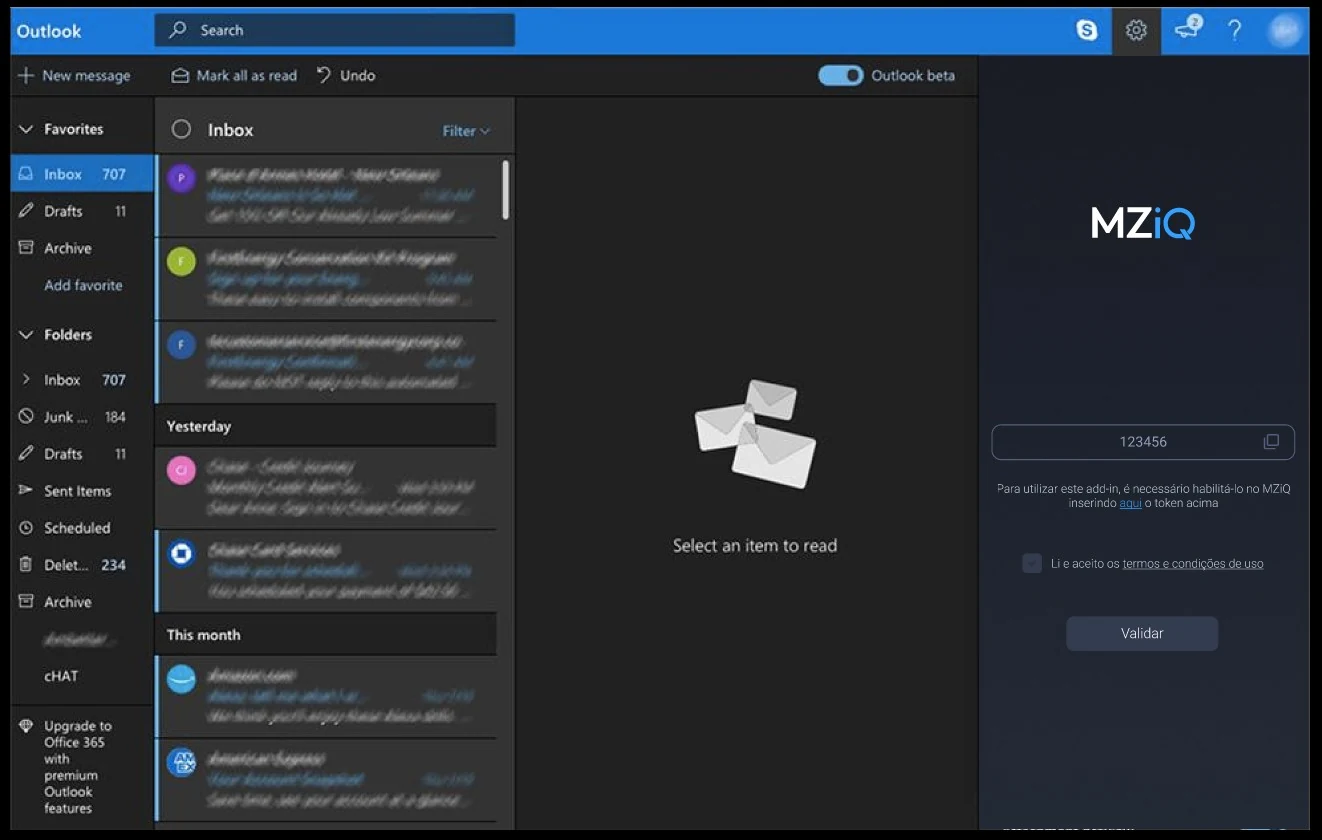
More than 80% of contact with investors happened by email. The MZiQ add-in brings the IRM into Outlook with the same login: open a message and see who the sender is, their company, their position, and recent interactions, without switching tools.
Add-in in the inbox
The sender's IR profile
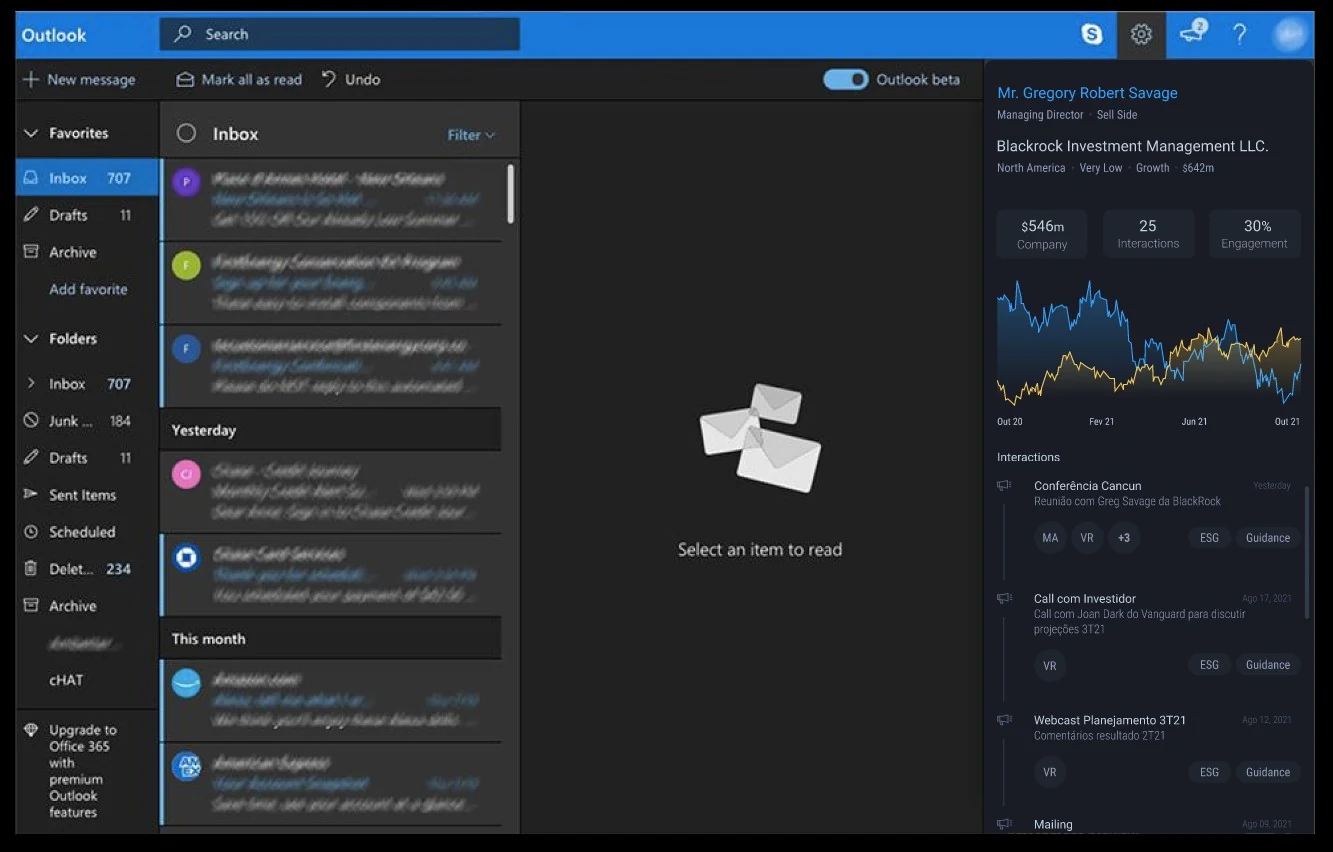
A panel you can take to the meeting
9 of the 15 IR teams we interviewed took printed material about investors into meetings. So every panel, for a contact, a company, or a shareholder group, exports to PDF: the same view that prepares the meeting goes on the table, whether the person across it is a current or a prospective investor.
Design system
MZiQ has its own Lato-based design system, separate from the Roboto-based MZ design system used by MZ Private and MZ App. Its dark interface supports long sessions with dense data. The values below were taken from the shipped screens.
Colors
A dark neutral ramp in close steps carries the interface. Blue is for actions and links, and status colors indicate changes.
Surfaces
Text
Actions and status
Color with a job
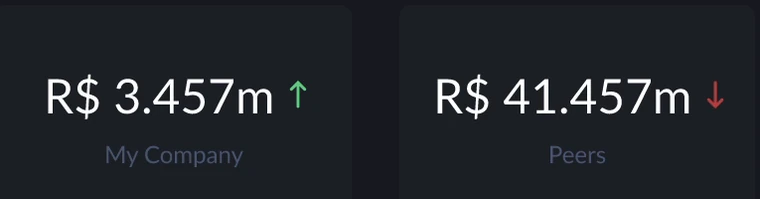
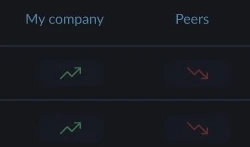
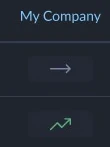
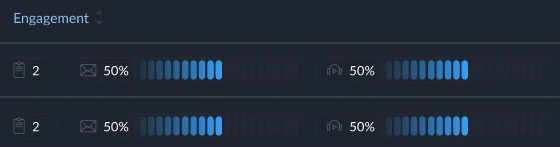
Every color has one meaning across the product, so it reads at a glance. These are the places each one shows up in MZiQ.

Lato for dense data
One family from page titles to table cells. Bold for names and headings, regular for data, short tags for investor types.
Components
Taken from the IRM screens, and clickable: filters, tabs, and notification options.
Buttons and links
Fields
Signals
Tabs
Filters
Notifications
Learnings
Not every contact makes decisions, and not every company is the whole group. Cross-linked layers with the same structure fit how IR relationships actually work.
Similar screens for contact, company, and group meant the analyst learned one layout and could go deeper without getting lost.
Testing exposed usability problems in a new filter that combined status and interaction type. A familiar filtering pattern translated well to the new context.
With most contact happening by email and 9 of 15 teams printing material for meetings, the IRM went into Outlook and onto paper.
Next steps
- Roll out to all clients, following usage and feedback closely.
- Connect events and contacts to review past event participation by company and shareholder group.
- Use relationship patterns to suggest next steps and flag investors at risk of disengaging.
Next case: MZ App, Centralizing access to information that helps people decide.
Read the MZ App case