Material fact
Information that may affect investment decisions and the exercise of investor rights.
Case studiesMZ App
MZ App connects investors and stakeholders with company filings submitted to CVM, Brazil’s securities regulator. I designed a mobile experience where users choose companies and filing categories, receive alerts, and read documents in the app, with a timeline and calendar for reviewing past disclosures.
MZ App · Companies, filings, and calendarDemo data
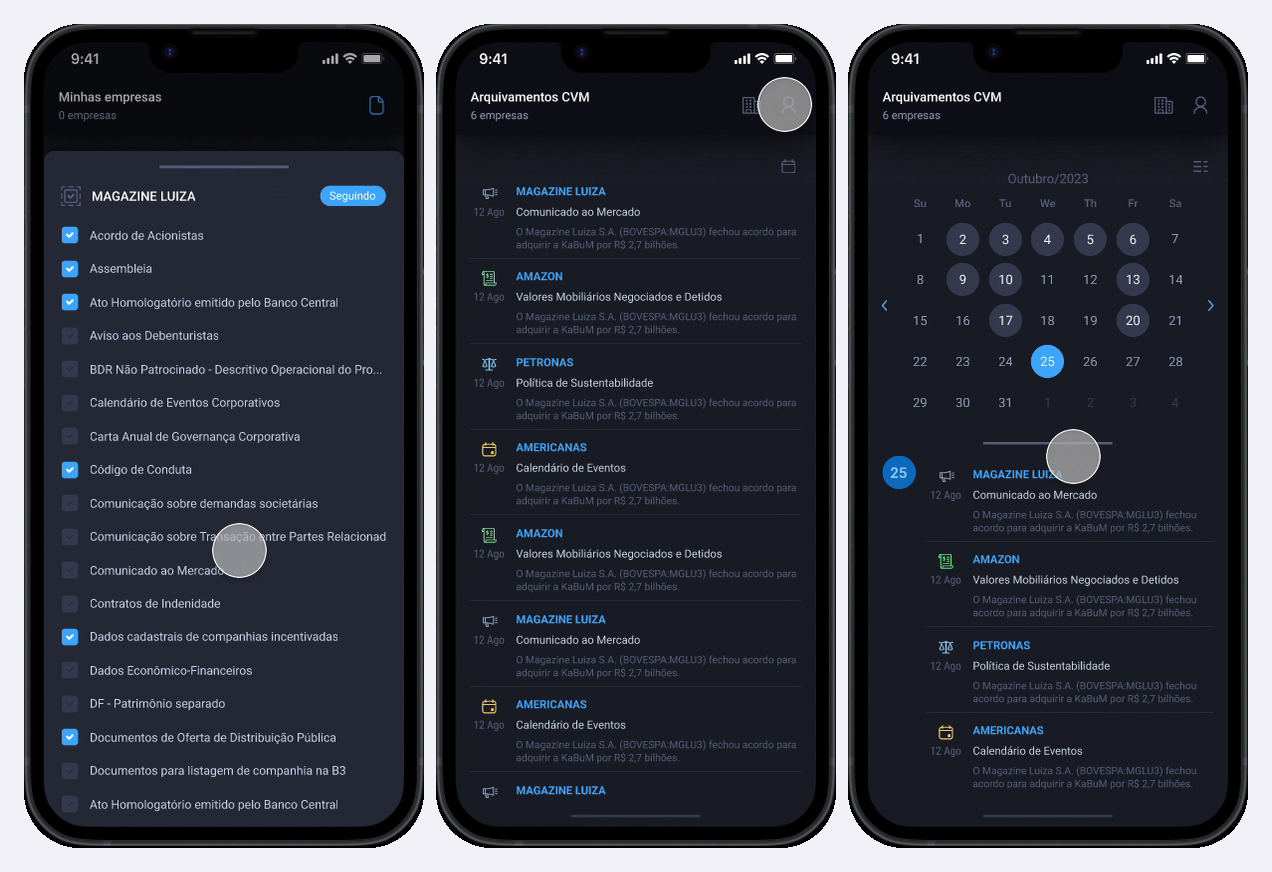
Public companies communicate their results, decisions, and changes through disclosures. These filings help investors and stakeholders follow the business and exercise their rights. The investor relations officer, known in Brazil as the DRI, is responsible for providing the information required by regulation under CVM Resolution 80. CVM is Brazil’s securities regulator.
A material fact may affect securities prices, an investor’s decision to buy, sell, or hold, or the exercise of investor rights. A market announcement also provides useful information to shareholders and the market, but its classification depends on its content. CVM’s 2024 guidance distinguishes these filing categories.
The app’s options correspond to CVM filing categories. Users choose which types of disclosure to follow for each company.
Information that may affect investment decisions and the exercise of investor rights.
Communications useful to shareholders and the market, classified according to the information disclosed.
Documents for reviewing financial information disclosed by the company.
Disclosures related to corporate decisions and the organization of shareholder rights.
Following several companies means finding new disclosures, recognizing their subject, and returning to a document when needed. The information is available through CVM and company IR websites, but users still need to keep track of the companies and topics they follow across those sources.
MZ App turns document lookup into an ongoing way to follow companies: choose companies and filing types, receive alerts, and access disclosures in one app. CVM’s official service supports searches by company, period, and category; the app combines those choices into a personalized experience.
From January to May 2024, I was the UX Designer for MZ App, working with a PM and a full-stack developer. I designed the access, company and category selection, document browsing, and profile flows, using the MZ Design System I created and maintained across products.
I chose a phone number as the entry point, with a one-time code sent by SMS. Users can start without verifying their email address and request another code on the same screen.
The phone number also connects sign-in to alerts: users receive SMS and push notifications when companies they follow publish new filings, without needing to follow the company in a messaging app.
Phone number and access codeDemo data
After sign-in, onboarding introduces what users can view, export, and share. Then comes choosing companies, a step inspired by Spotify’s initial artist selection: starting with what users want to follow gives the home screen context from the first visit.
In “Minhas empresas” (“My companies”), search helps users find companies. “Seguir” (“Follow”) starts following, while “Remover” (“Remove”) reverses the choice. Selection remains available after onboarding.
Companies to followDemo data
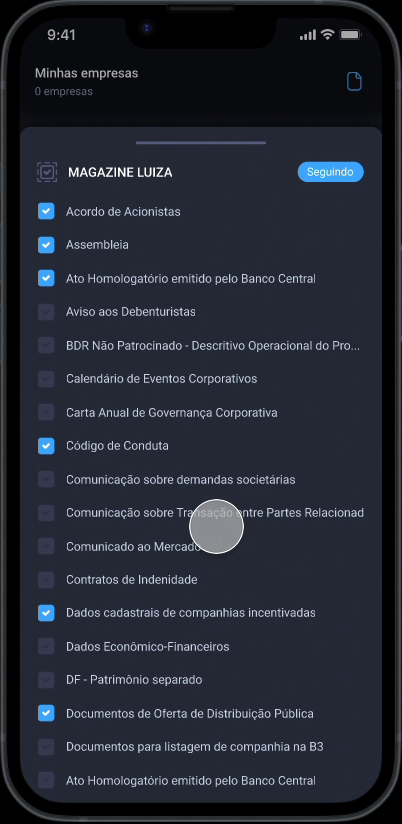
Following a company is the first choice. In the same flow, users select the CVM filing categories they want to follow, such as shareholder meetings and market announcements.
Checkboxes make each choice explicit. Users control the topics of each company’s alerts without receiving every publication from every company they follow.
CVM filing categoriesDemo data
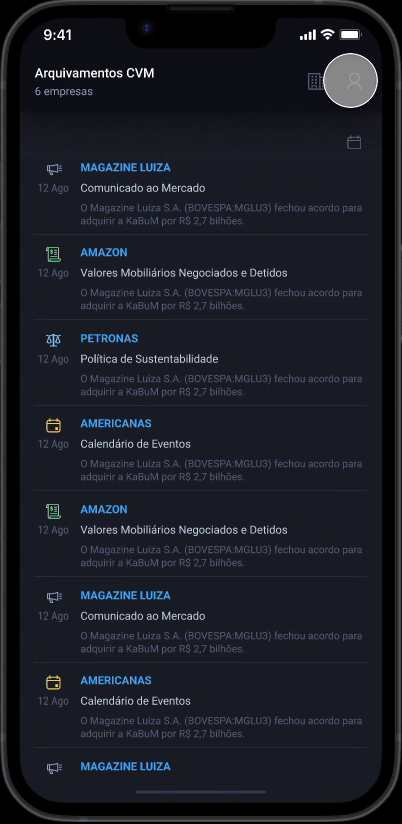
The home screen brings together the selected filings. Each item shows the company, category, date, and a content preview. An icon reinforces the topic identified by its text label.
This structure lets users scan updates from all the companies they follow in one place, with enough context to choose the next document to read.
Filings timelineDemo data
Documents open in a bottom sheet over the timeline. I chose this pattern to keep the starting context close: closing a document returns users to the filings list.
The viewer provides zoom and a sharing action in the upper-right corner. Users can also download documents, keeping access to the content after reading it in the app.
Reading in the appDemo data
The list supports continuous reading; the calendar supports date-based lookup. Days with publications have a circle and can be selected to show that day’s filings.
Days without a circle have no publication. This cue guides browsing and lets users revisit past filings by selecting a specific date, keeping the documents directly below the calendar.
Publication calendarDemo data
Access starts with a phone number. Email verification appears during use, in a notice explaining the remaining deadline and offering “Reenviar validação” (“Resend verification email”) and “Ir ao Perfil” (“Go to profile”). Users can dismiss it for a period without interrupting their first experience with the app.
In the profile, users edit their name, phone number, and email. Changing the address sends a new verification email; a timer shows when resending is available. A green indicator next to the email address shows that it has been verified.
Profile and verificationDemo data
MZ App uses the MZ Design System I created and maintained across products. MZ Private was the first to adopt it; the app uses the same Roboto-based foundation in its mobile flows.
Two dark surfaces carry the interface; every other color has a single job.
Surfaces and text
Actions and states
File types
One family, from page titles to file metadata.
Buttons and links
Icon buttons
Fields
PIN code input
Toggles
Checkboxes
Tabs
Period
Chips and avatars
Grid cell
Menu
List cell
Dialogs
This folder and all its content will be permanently deleted
Folder name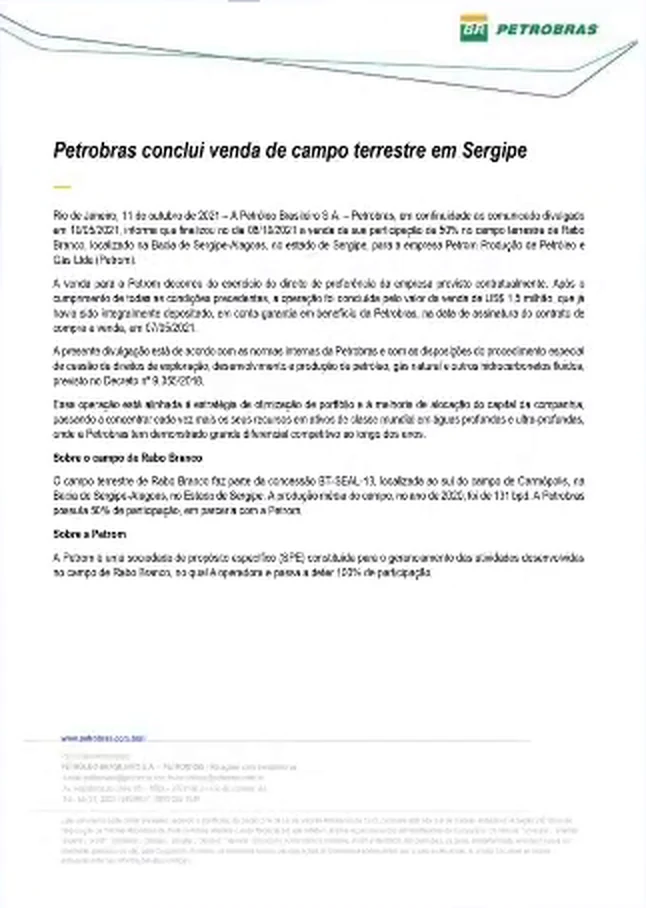
The company determines whose information a user receives; the category determines what it is about. Keeping both choices together makes the interest more specific without hiding it in a separate settings flow.
Reading is a step in browsing. A bottom sheet keeps the publication connected to its timeline so opening and closing it preserves the context for the next item.
A chronological sequence and a specific date are different ways to reach the same disclosure. A list and a calendar support both without requiring a different document structure.
Phone-based sign-in gives users access to the app; email verification is introduced later. The deadline, resend timer, and verification status show what to do next.
Next case: MZ Private, informing securely, for compliance and credibility.
Read the MZ Private case